Introduction
The Fraud Explorer Dashboard is where you search for, investigate and confirm fraudulent activity.Dashboard Filters
The data in the dashboard can be filtered when selecting the Change Search Filters dropdown. Here it is possible to filter based on time, websites, countries Quick Checks were completed from (based on IP Address location), the Submission Type, submission status (the result of the Quick Check submission), if BB Security Actions were taken, associated devices, and the Fraud Score. When filters are changed and the “Apply Filters” button is pressed, the rest of the dashboard will update. The search filters can be reset to default values by pressing the “Reset” button.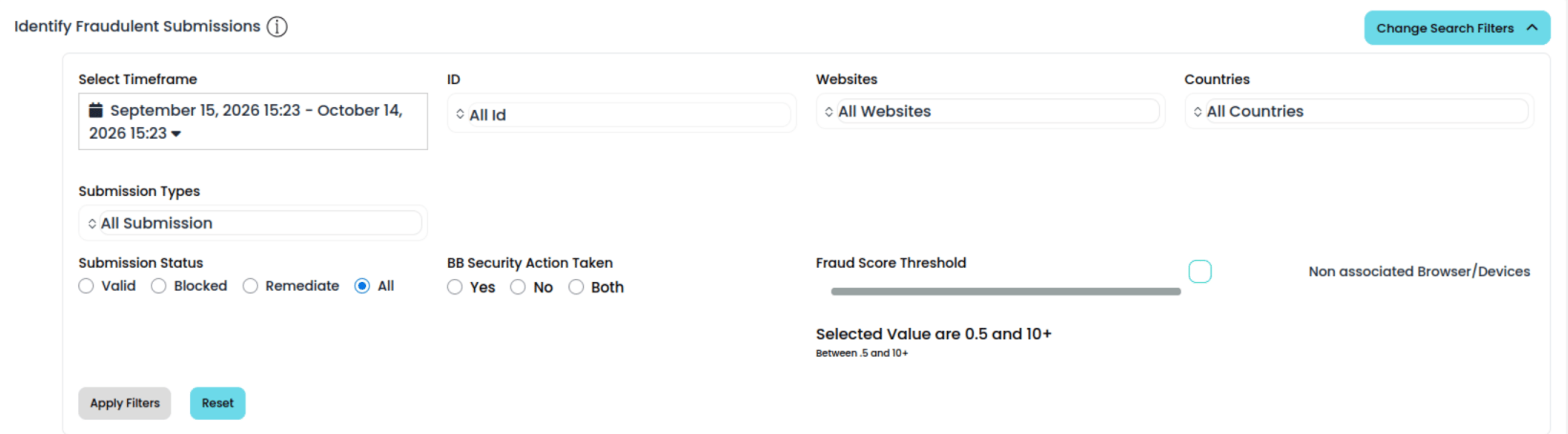
User Statistics
The top 3 statistics quickly show the user any fraud-related statistics. To view those submissions, simply click the tile and the table will update accordingly. The top row shows the following statistics:- User Identified Fraudulent Submissions :: The number of times Quick Checks were identified as fraudulent by you.
- Potentially Compromised Passwords :: The number of submissions which involve potentially compromised passwords.
- Suspected Fraudulent Submissions :: These are successful test submissions which have a high probability of being fraudulent and merit investigation.

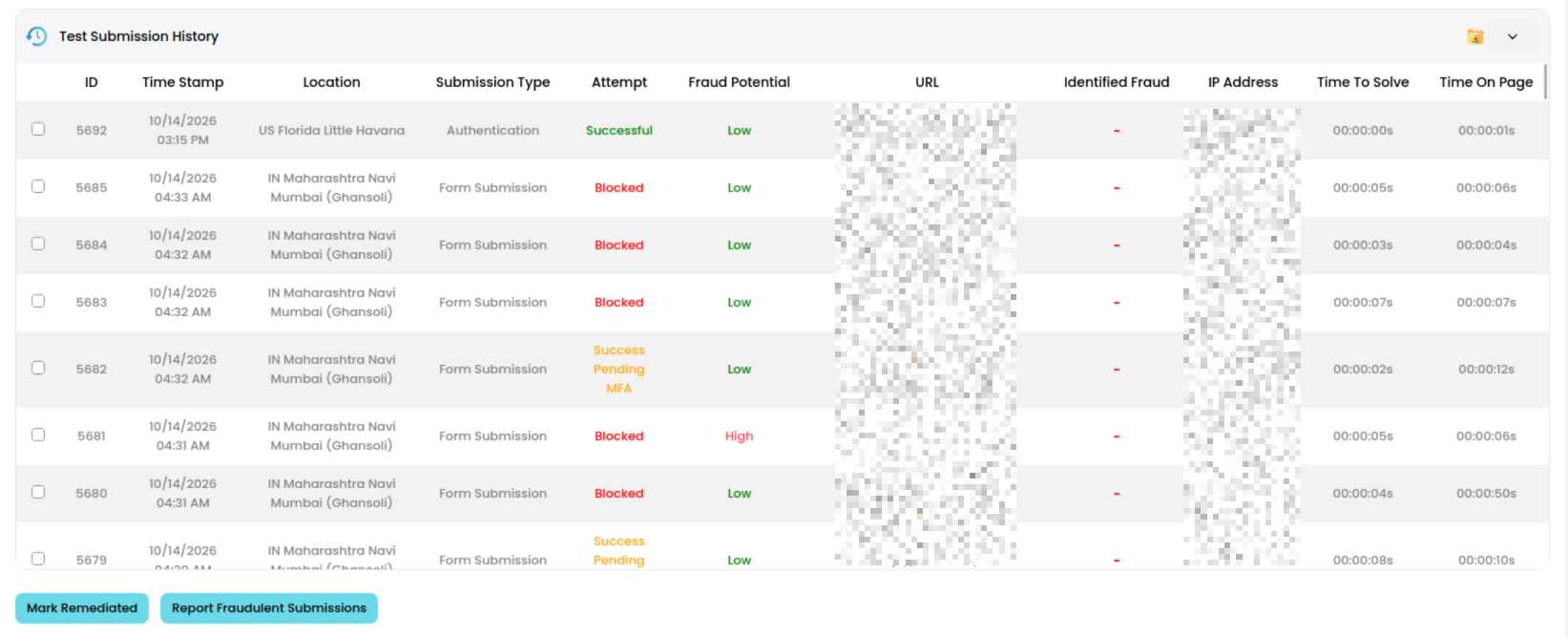
Submission History Table
Submissions by Location
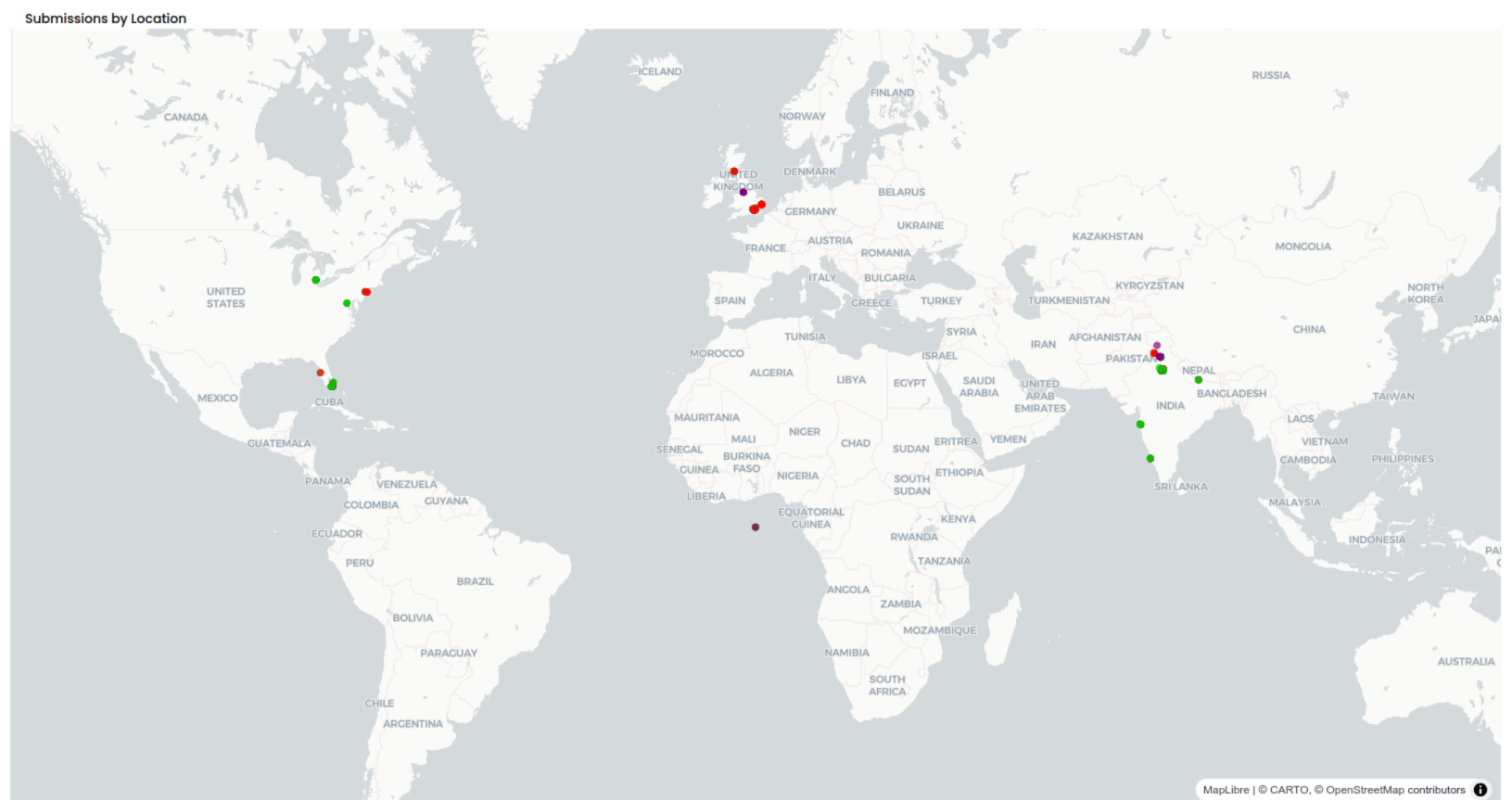
This section shows the table submissions overlaid on a map by physical location. Location estimates are calculated by IP address.